In addition to receiving webhooks to your HTTP endpoints or connected applications like Slack, you can now also poll an endpoint to get all of the events in real-time and a consistent order.Documentation Index
Fetch the complete documentation index at: https://docs.straddle.com/llms.txt
Use this file to discover all available pages before exploring further.
Why Use Polling?
While webhooks are a great way to receive notification of events, there are situations where polling for events is preferred. For example, when testing locally it’s much easier to poll for events than exposing a public HTTP endpoint. Another example is if you don’t care about getting certain events in real-time and prefer getting them in a batch at the end of the day, you can use the polling endpoint to ingest event history when you’re ready.Create a Polling Endpoint
Start by creating an endpoint from the Webhooks page in your Straddle dashboard, only this time, select Polling Endpoint as the type.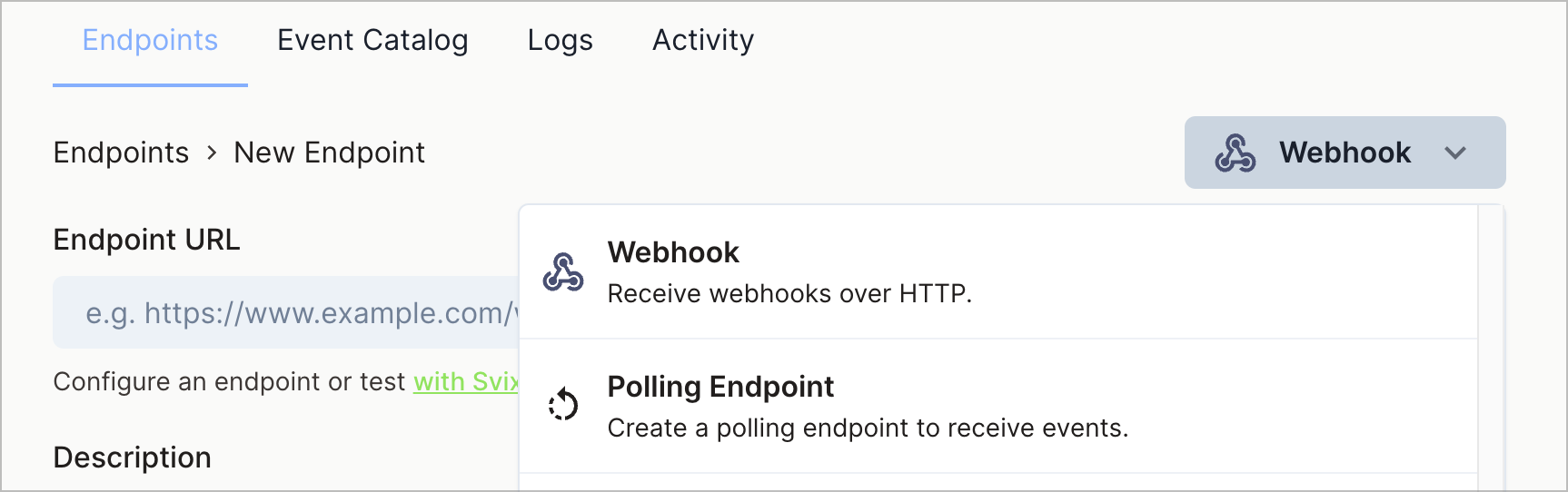
Usage
Once you’ve created a Polling Endpoint, you’ll get a unique URL likehttps://api.svix.com/api/v1/app/app_2mG6DgUaGlwCNdM5oRCUJec2kQC/poller/poll_59q
You can call this endpoint directly once you have a polling API Key.
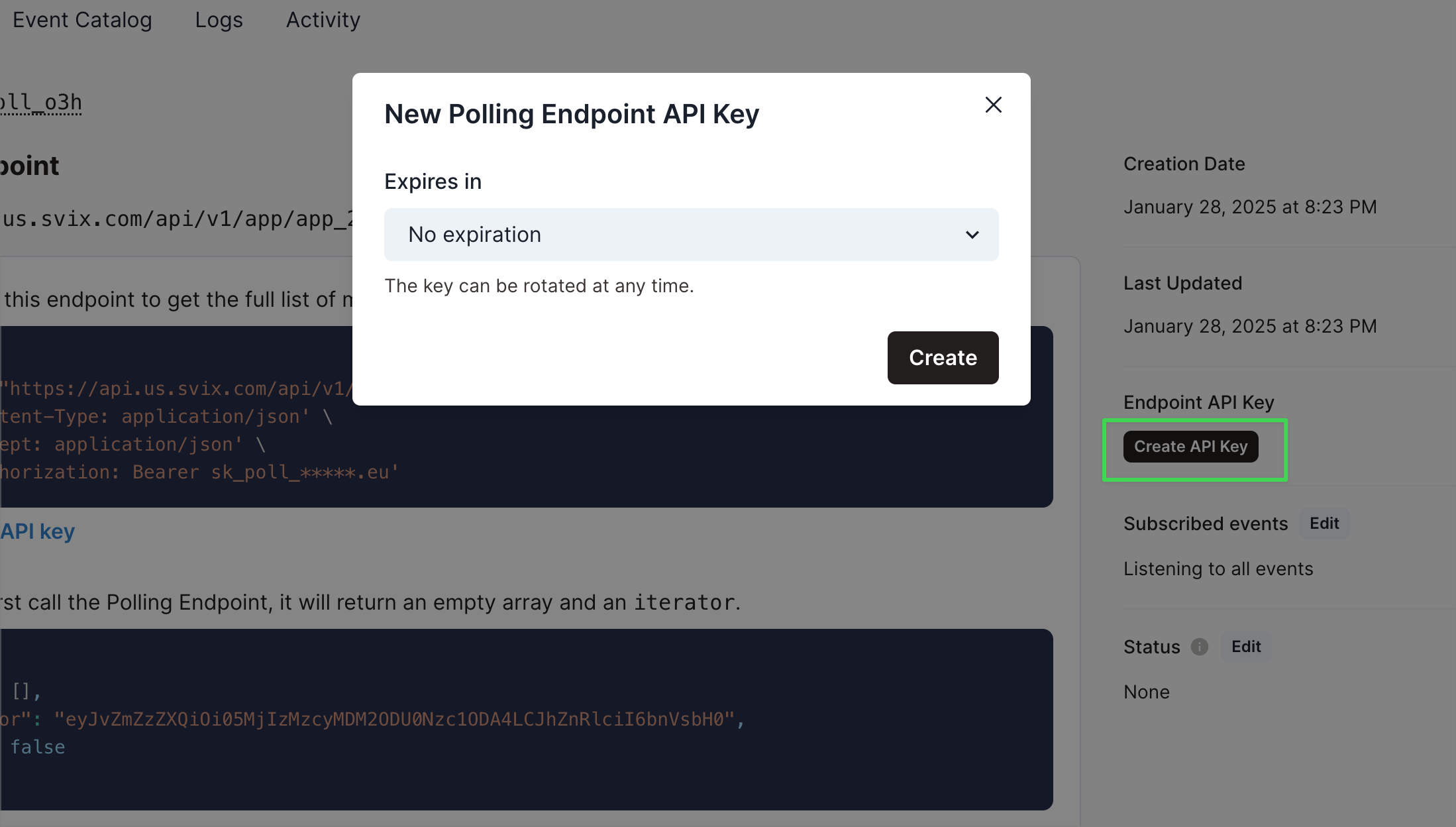
API Keys
To call the Polling Endpoint, you’ll need to create an endpoint-specific API key. Be sure to store this in a secure environment!